
Last Updated on May 3, 2026
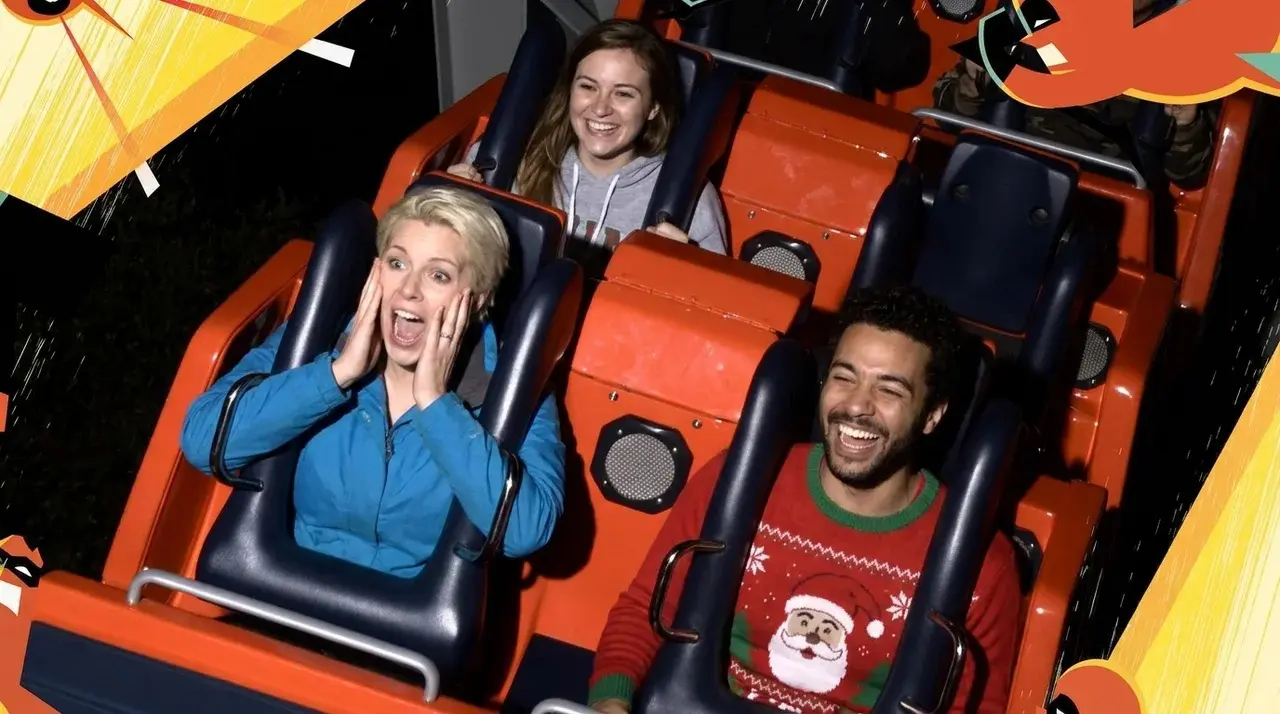
You step off Incredicoaster, see your photo on the screen, and your husband takes a picture of the screen with his phone so you can redeem the code later. You get home, pull up the photo, and the code is too blurry to read. The number is half visible, half cut off, and there is no way to type it into the Disneyland app.
If this just happened to you, do not panic. There are at least four reliable ways to recover that photo, and most of them work even days or weeks after your visit. The Disney PhotoPass system holds onto ride photos for a window of time after capture, and Cast Members can pull them up with surprisingly little information. Here is exactly what to do.
How Disneyland Ride Photos Actually Work
Quick context that makes the rest of this guide easier to use. When your photo is taken on a ride like Incredicoaster, Guardians of the Galaxy: Mission Breakout, Space Mountain, or any other photo-equipped attraction, the system assigns it a unique code. That code displays on the photo screens at the ride exit, where you can enter it into the Disneyland app to link the photo to your PhotoPass account.
Each ride has its own letter prefix. Incredicoaster photo codes always start with the letter C. Guardians of the Galaxy: Mission Breakout codes always start with T. Space Mountain has its own prefix as well. Once you know the letter for a specific ride, you only need to figure out the numbers that follow.
If you do not link the photo within a short window, the on-screen kiosk forgets it. But the photo itself is still in Disney’s PhotoPass system on the back end, and that is where Cast Members can retrieve it for you.
Method 1: The iPhone Live Photo Trick
This is the fastest fix and almost nobody knows about it. If you took your phone photo of the ride screen with an iPhone and Live Photo was enabled (the default setting), open the photo and play the Live Photo back. The motion captured in the seconds before and after you tapped the shutter often shows the screen at slightly different moments, including frames where the code is more readable than your single still capture.
Open the photo in your iPhone’s Photos app, swipe up on the photo to see options, or simply tap and hold to play the Live Photo motion. Sometimes a code that looked like a blurry “68142” in the still photo becomes clearly visible as “C68142” when you watch the Live Photo motion frame by frame. iPhone users have specifically reported recovering ride codes this way that were unreadable in the still capture.
This only works if Live Photo was on when the photo was taken. If you have an Android phone or you turned Live Photo off, skip to Method 2.
Method 2: Visit the Photo Concierge On Property
If you are still at Disneyland or nearby, this is the most reliable in-person option. There is a Photo Concierge service located just near the Disneyland Park exit, near Main Street, where Cast Members can manually look up your missing ride photo.
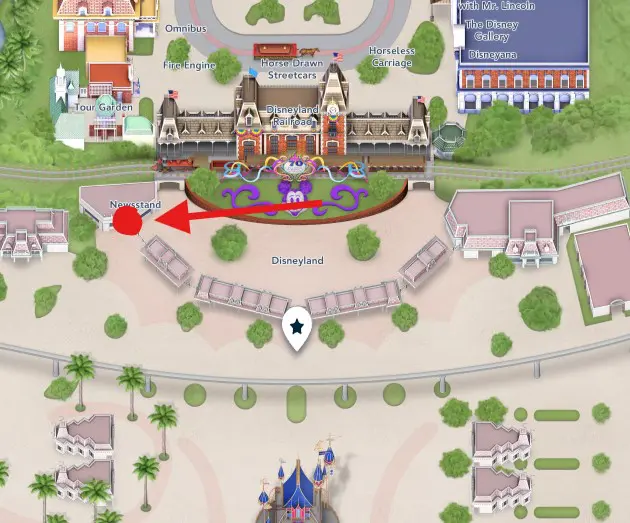
Walk up, tell them which ride you were on, the approximate time, and what you and your party were wearing. They will search the photo database from that ride during that window and can pull your photo onto their screen. Once located, they add it to your PhotoPass account immediately.
The success rate at the Photo Concierge is high if you go quickly, ideally the same day or the next morning. Disney also operates a similar service near Space Mountain inside the park if you are still riding attractions that day. Some Cast Members can check previous dates from these locations as well, so it is worth asking even if you are returning a day or two after the photo was taken.
Bring as much information as you can. The ride name, the approximate hour you rode it, what each member of your group was wearing, and where you were seated in the vehicle if you remember. The more specific you are, the faster the Cast Member can narrow the search.
Method 3: Call PhotoPass Guest Support
If you are no longer at the resort, this is your best move. Disney PhotoPass Guest Support can locate and link missing photos remotely with the same kind of information the Photo Concierge uses in person.
The Disneyland PhotoPass Guest Support number is (714) 520-7108, available 7 days a week from 6 AM to 6 PM Pacific Time.
When you call, have ready: your Disneyland account email, the date you visited, the ride you were on, the approximate time, and a description of what your party was wearing. A photo of your group from that day saved on your phone helps if the Cast Member needs additional confirmation. Cast Members on this line are specifically trained to find missing photos, and many guests report that the search takes only a few minutes once the right details are provided. They can locate photos days or even weeks after a visit.
For Disney World inquiries the number is different, but for Disneyland Resort, 714-520-7108 is the right line.
Method 4: Submit the Online Lost Media Form
Disney’s official lost PhotoPass media form is available on the Disneyland website and is the right move if you cannot call during business hours or you prefer to handle this in writing.
Go to disneyland.disney.go.com and search “lost PhotoPass” or “missing photos” to find the current form. You will fill out the date and time of your visit, the attraction or photographer location, your account information, and a description of your party. Disney’s PhotoPass team reviews submissions and adds located photos to your account.
The form response time is typically several business days, sometimes longer during peak periods. If you are in a hurry, the phone number above is faster. Some guests report submitting the form and never hearing back, so if you do not get a response within a week, follow up with a phone call rather than resubmitting.
Method 5: The Photo Code Sequence Search (Last Resort)
This is for the truly determined and the people who tried everything above without success. Disneyland ride photo codes are sequential. If you can find someone who rode the same attraction within an hour or two of your ride and they still have their code, you can manually search forward and backward in the Disneyland app from their number to find yours.
This is exactly the approach used in the Disneyland Annual Passholders Facebook group screenshots that inspired this article. One guest’s missing Incredicoaster photo from a 9:30 AM ride was paired against another guest’s confirmed code C8767 from 9:05 AM that same day. The original poster could then enter codes near that range in the Disneyland app and find their own photo within a few attempts.
Open the Disneyland app, go to the PhotoPass section, and use the option to enter a photo code manually. Start with the known code from someone else’s ride and increment by 5 to 10 at a time. The app will show you a thumbnail of any photo that matches. Once you see a stranger’s photo, you know you are in the right time window. Adjust forward or backward in smaller increments until you find your group.
This works because Disneyland’s photo systems run sequentially throughout the day. A ride at 9:30 AM is going to have a photo code numerically close to other rides happening at 9:25, 9:30, and 9:35 AM. If you can anchor your search near the right time with someone else’s code, you can usually find yours in 10 to 15 attempts.
The downsides: it requires either a stranger’s help (the Facebook group route) or a friend who happened to ride near the same time. It also takes patience. Most guests will succeed faster with Method 2 or Method 3.
Tips to Avoid This Problem in the First Place
The recovery options above all work, but the easiest fix is not losing the code at all. A few habits to build for future visits.
Use the Disneyland app’s photo scanning feature directly at the ride exit. The app has a built-in QR scanner that reads the code on the photo screen instantly. Open the Disneyland app, go to PhotoPass, tap the option to add a photo, and use the in-app scanner pointed directly at the screen. This bypasses the need to take a phone photo of the screen at all and links your photo to your account immediately.
Take multiple phone photos of the screen if you are using that method as a backup. One photo can be blurry, glare-affected, or partially cut off. Take three or four from different angles. The screens often have anti-glare coatings that make photography deliberately difficult, which is something a Disney guest noted in the same Facebook thread.
Take a photo from a position where there is no glare. Move slightly to one side and check your screen before walking away. The two seconds of effort saves the entire recovery process later.
If you have PhotoPass+ as part of a Lightning Lane Multi Pass purchase or Genie+ subscription, your photos should auto-link to your account when scanned. Confirm this is working on your first ride of the day rather than discovering on day three that none of your ride photos linked.
For families, designate one person whose only job at the photo screen is to capture the code. Multitasking with kids and bags and figuring out which way to walk after the ride is exactly when codes get missed.
What to Tell the Cast Member When You Call or Visit
Whether you are at the Photo Concierge, on the phone with PhotoPass Support, or filling out the online form, the same set of details will help Cast Members find your photo faster.
The exact attraction name. The date of your visit. The approximate time of your ride, ideally within a 30-minute window. A description of each member of your party, including hair color, clothing color, hats, and any visible accessories. The seating position in the ride vehicle if you remember (front row, back row, left or right side). A reference photo from your phone of you and your group from earlier that day, which you can offer to email or text to the Cast Member if needed.
The more of these details you can provide, the higher the success rate and the faster the search.
How Long Disney Holds Ride Photos
Ride photos are stored in the PhotoPass system for a limited window. While Disney does not publish the exact retention period, guest reports suggest you have at minimum two to three weeks after your visit to recover photos through Guest Support, and often longer. The sooner you start the recovery process, the higher your chance of success.
If your visit was within the last week, all five methods above are realistic options. If your visit was a month ago, focus on Method 3 (calling PhotoPass Support directly) since they have the deepest access to the archive. After several months, recovery becomes increasingly difficult, but it is still worth a phone call to ask.
Plan the Rest of Your Trip
For the full strategy on getting the most out of your day at the resort, the Enchanted Insider Disneyland Itinerary Guide covers everything from rope drop strategy to hidden tips most guests never learn. For the best rates on hotel and ticket packages near Disneyland, Get Away Today is the travel partner we use and recommend for Disneyland Resort vacations.
FAQ
There are five ways to recover a missed Disneyland ride photo. Try replaying any iPhone Live Photo of the screen to see frames where the code is more readable. Visit the Photo Concierge service near the Disneyland Park exit to have a Cast Member look up the photo using the ride name, time, and your description. Call PhotoPass Guest Support at (714) 520-7108. Submit the official lost media form on the Disneyland website. Or manually search the photo code sequence in the Disneyland app using a known code from another guest who rode near the same time.
The Disneyland PhotoPass Guest Support phone number is (714) 520-7108. Support hours are 6 AM to 6 PM Pacific Time, 7 days a week. Cast Members on this line can search for and link missing photos to your account using your visit date, ride name, approximate time, and a description of your party, often within just a few minutes.
Disney’s PhotoPass system retains ride photos for a limited window after capture. While Disney does not publish the exact retention period, guests report successfully recovering photos through Guest Support two to three weeks after a visit, and sometimes longer. The sooner you start the recovery process, the higher the chance of success.
Yes. Each Disneyland attraction has its own letter prefix that appears at the start of every photo code from that ride. Incredicoaster codes always start with C. Guardians of the Galaxy: Mission Breakout codes always start with T. Knowing the consistent letter for a specific ride helps narrow your search if you can read part of a code but not all of it.
Yes, in many cases. The Photo Concierge service located near the Disneyland Park exit can search the PhotoPass database from previous dates and link photos to your account, not just same-day photos. Some Cast Members may be limited based on staffing and time of day, but it is worth asking. Bring the date you visited, the ride name, the approximate time, and a description of your party.