
Last Updated on May 6, 2026
You are at Disneyland for four days. Your boss needs you online for two hours on Wednesday. Your partner takes the kids to the park while you handle a client call and clear your inbox, then you rejoin the group by lunch and ride Space Mountain by 1:00 PM. That is the dream, and it is completely doable if you know where to set up.
The problem is that most of Disneyland Resort was not designed for remote work. The parks are loud, the WiFi is inconsistent under load, power outlets are scarce, and finding a quiet spot with a table and a chair that is not a bench next to a churro cart takes real knowledge of the property.
This guide covers every viable remote work location at the Disneyland Resort, ranked by WiFi reliability, noise level, power access, and how long you can realistically camp without someone asking you to order something.
WiFi at Disneyland Resort: The Reality
Free WiFi under the network name Disney-Guest is available throughout both parks, Downtown Disney, and all three resort hotels. It works for basic tasks like email, messaging, and light web browsing. It does not work reliably for video calls, VPN connections, large file transfers, or anything that requires sustained bandwidth during peak hours. Between 10:00 AM and 3:00 PM, thousands of guests are streaming the Disneyland app, uploading photos, and loading mobile orders simultaneously. The network bogs down.
If your work requires reliable connectivity for calls or VPN, bring a mobile hotspot or tether from your phone’s cellular data plan. AT&T has the strongest cellular coverage at the resort (they are the official wireless sponsor), but Verizon and T-Mobile also perform reasonably well in most areas. Test your connection before your first call, not during it.
Hotel room WiFi is meaningfully stronger and more consistent than park or Downtown Disney WiFi. If you have a serious work session planned, your hotel room is the most reliable workspace. Everything below is for the scenarios where you want to work outside your room.
The Best Remote Work Spots, Ranked
1. The Grand Californian Hotel Lobby
This is the best remote work location at the Disneyland Resort, and it is not particularly close. The Great Hall lobby has deep leather armchairs, side tables large enough for a laptop, warm ambient lighting, strong and consistent hotel WiFi, power outlets along the walls near several seating clusters, and an atmosphere that is naturally calm even when families are passing through. The six-story timber ceiling and fireplace create a lodge-like environment where sitting quietly with a laptop does not feel out of place.
The Hearthstone Lounge, located just off the lobby, serves coffee, cocktails, and food throughout the day. You can order a coffee, set up at a table, and work for two to three hours without anyone looking at you sideways. The lounge has its own WiFi coverage and is quieter than the main lobby during off-peak hours.
The outdoor fireplace area is another strong option at the Grand Californian. Walk toward the coffee cart and out through the automatic doors. The outdoor fireplace is the reverse side of the lobby’s main fireplace. It has seating, fresh air, and enough separation from foot traffic to handle Zoom calls without significant background noise. Multiple regular remote workers specifically recommend this spot for calls.
The Grand Californian also has a third floor common area accessible by stairs from the lobby. It is open, quiet, and functions like an informal workspace. It does not appear to be restricted to hotel guests, though signage may vary. If the lobby is busy during the 3:00 to 5:00 PM check-in window, head upstairs instead.
You do not need to be a Grand Californian hotel guest to sit in the lobby. It is accessible from the Downtown Disney entrance. Walk in, find a chair, and set up. Early mornings (before 9:00 AM) and mid-afternoons (2:00 to 4:00 PM) are the quietest windows. Avoid the lobby between 3:00 and 5:00 PM when families are checking in.
WiFi: Strong and reliable. Power outlets: Available along several walls. Noise level: Low to moderate. Best for: Video calls, focused work sessions, VPN-dependent tasks. How long you can camp: 2 to 4 hours comfortably.
2. Fiddler, Fifer and Practical Cafe (Starbucks at DCA)
The Starbucks location inside Disney California Adventure on Buena Vista Street has indoor seating, air conditioning, power outlets at the far left end of the bar lining the windows and near the trash cans on the left wall, and strong WiFi coverage due to its proximity to the park entrance infrastructure. Buy a coffee, grab a window seat near the outlet, and you have a functional workspace that feels like any urban Starbucks except the view is Carthay Circle.
The trade-off is noise. This is a functioning Starbucks inside a theme park, so the ambient noise level is moderate to high during peak hours. Before 10:00 AM and after 3:00 PM, it thins out enough to be workable. Do not attempt a client video call here. It is best for email, writing, and asynchronous work where background noise is tolerable.
WiFi: Strong (park infrastructure nearby). Power outlets: Yes, limited spots. Noise level: Moderate to high. Best for: Email, writing, async work. How long you can camp: 1 to 2 hours with a purchase.
3. Market House (Starbucks at Disneyland Park)
The Main Street Starbucks inside Disneyland Park has a similar setup to the DCA location. Indoor seating, air conditioning, and a more secluded outdoor seating area between Market House and the clothing shops on Main Street that is set back from the main walkway. The outdoor tables are surprisingly quiet for how central the location is, and they have a partial view of the castle.
Power outlets are harder to find here than at the DCA Starbucks. Bring a fully charged laptop and a portable battery. WiFi is decent this close to Main Street infrastructure. Same noise caveats as the DCA Starbucks. This is a coffee-and-email spot, not a video call location.
WiFi: Decent. Power outlets: Very limited. Noise level: Moderate. Best for: Quick email sessions, light tasks between rides. How long you can camp: 1 hour.
4. Red Rose Taverne Back Room
The Beauty and the Beast-themed quick service restaurant in Fantasyland has a back dining room that local Magic Key holders have nicknamed “the office.” It is air-conditioned, quiet, dimly lit, and separated from the main dining area by enough distance that the ambient noise drops significantly. If the back room is open and not occupied by another remote worker (yes, this is a known spot), it is one of the best hidden workspaces inside Disneyland Park.
The catch: it gets very cold in that back room. Multiple regulars flag this specifically. Bring a sweater or jacket even on a 90-degree day. If the back room is taken, the outdoor tables with umbrellas are a workable alternative, though you will want a portable fan in summer. There are no known power outlets in the back room, so come with a fully charged laptop and a portable battery.
WiFi: Decent (Fantasyland infrastructure). Power outlets: None confirmed. Noise level: Very low in the back room. Best for: Focused writing, email, quiet async work. How long you can camp: 1 to 2 hours with a food purchase.
5. Galaxy’s Edge Corner (Near Millennium Falcon)
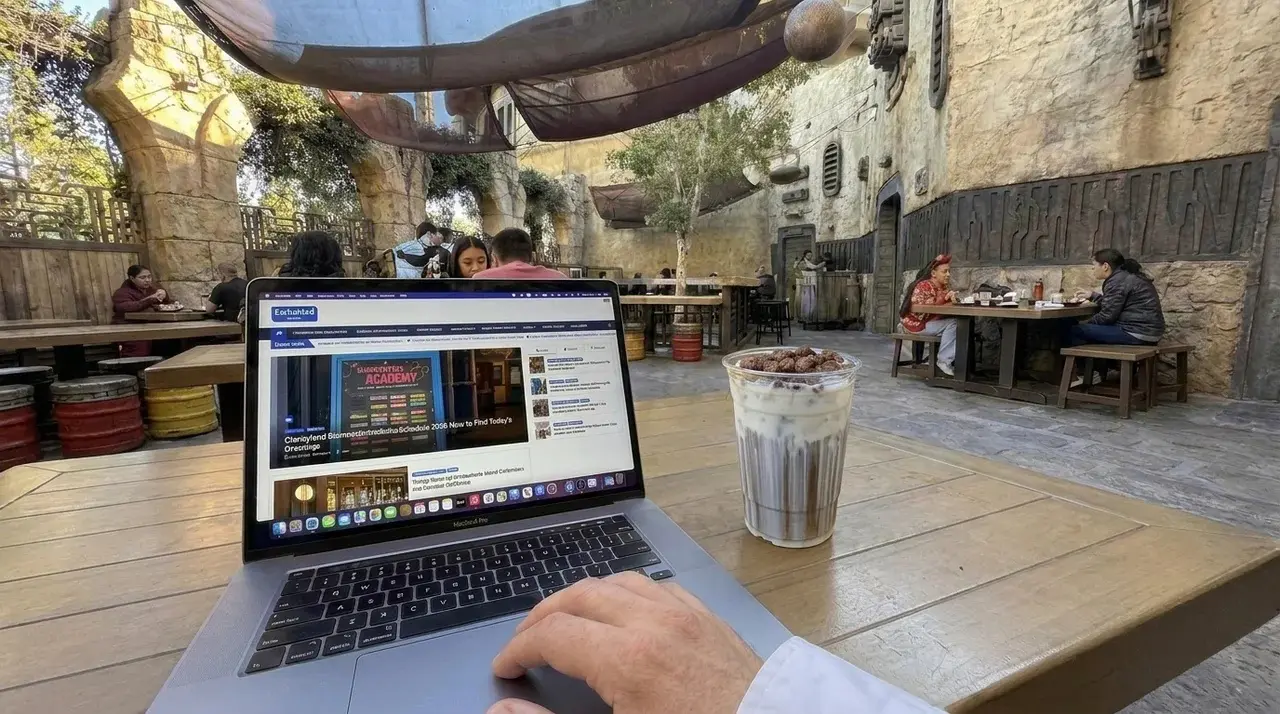
The seating area between Ronto Roasters and Savi’s Workshop in Star Wars: Galaxy’s Edge is shaded, relatively quiet, and has power outlets. It is also informally known as the “baby corner” because parents with sleeping toddlers in strollers congregate there for the calm. The combination of shade, outlets, and low energy makes it one of the more functional in-park laptop spots.
The theming means your Zoom background looks like you are working from a Star Wars outpost, which is either a conversation starter or a distraction depending on your audience.
WiFi: Moderate (Galaxy’s Edge has decent coverage). Power outlets: Yes. Noise level: Low to moderate. Best for: Email, async work, short calls with headphones. How long you can camp: 1 to 2 hours.
6. Disneyland Hotel Tower Lobbies
Each of the Disneyland Hotel’s towers has its own separate lobby, and they are not equally useful for work. The Fantasy Tower lobby is the main check-in area and the busiest. It works but can be loud during check-in and checkout hours.
The Frontier Tower lobby is the insider pick. It is the farthest tower from the parks and the least trafficked, which means it stays quiet throughout the day. It has a large lobby with multiple seating areas and access to power outlets, which is the key differentiator. Multiple Magic Key holders who work from the resort regularly cite Frontier Tower as their go-to spot.
The Adventure Tower lobby is smaller but also quieter than Fantasy during the day, and it is closest to Trader Sam’s and Tangaroa Terrace if you want coffee or food nearby.
WiFi: Strong hotel WiFi in all towers. Power outlets: Available in Frontier Tower lobby. Noise level: Low (Frontier), moderate (Fantasy). Best for: Focused work, calls with headphones, VPN tasks. How long you can camp: 2 to 3 hours.
Disneyland Hotel Gazebo Walkway
One more hidden option: there is a small gazebo along the Disneyland Hotel walkways past Tangaroa Terrace toward Discovery Tower. Grab a drink from Tangaroa Terrace or The Coffee House, sit in the gazebo, and enjoy a quiet outdoor workspace. No outlet access, but the calm and the shade make it a solid phone-work or reading spot for 30 to 60 minutes.
7. Pixar Place Hotel Lobby
The Pixar Place Hotel lobby is the least crowded of the three on-property hotel lobbies, which makes it a viable work option during off-peak hours. The lobby is bright and modern, with seating areas and the Great Maple restaurant nearby for food and coffee. Hotel WiFi is available and reliable.
The cafe inside the Pixar Place Hotel lobby has power outlets and is usually quiet during off-peak hours. Multiple guests have flagged it as a reliable low-traffic work spot with outlet access, which puts it ahead of the other two hotel lobbies for sessions where you need to charge.
The lobby is smaller and has less of the “I could work here all morning” atmosphere than the Grand Californian. It works for a 60 to 90 minute session, but you will feel conspicuous camping for much longer. Power outlets are limited in the public seating areas.
WiFi: Strong hotel WiFi. Power outlets: Limited. Noise level: Low. Best for: Quick work sessions, email, calls with headphones. How long you can camp: 1 to 2 hours.
8. Palm Breeze Bar (Disneyland Hotel)
This one comes directly from Magic Key holders who study and work at the resort regularly. Palm Breeze Bar, the poolside bar area at the Disneyland Hotel, has a solid WiFi signal, power outlets at every seat, food and drink service including the Southwest chicken sandwich and beignets, and low foot traffic during weekday mornings and early afternoons.
The breezeway location feels great during warm afternoons but gets chilly once the sun goes down. Bring a windbreaker or light jacket if you plan to be there into the evening. This is one of the few resort locations with reliable outlet access at every seat, which makes it a genuine work-for-hours spot rather than a quick email check.
WiFi: Strong. Power outlets: Every seat. Noise level: Low to moderate. Best for: Extended work sessions, calls with headphones, study sessions. How long you can camp: 3+ hours with purchases.
9. Downtown Disney Outdoor Seating
Several restaurants and cafes along Downtown Disney have outdoor seating areas that work for casual remote work. The area near Starbucks on the main walkway, the outdoor tables at Sprinkles, and the benches near the Lego Store all have reasonable WiFi coverage and enough ambient activity to feel normal sitting with a laptop.
The limitations are significant. There are almost no accessible power outlets in outdoor Downtown Disney seating. The WiFi is less reliable here than inside the hotel lobbies. Noise from foot traffic, live performers, and restaurant patios is constant. This is a “check email for 30 minutes while the family shops” location, not a work-for-three-hours location.
Vista at Parkside (Downtown Disney)
Vista at Parkside is a restaurant in Downtown Disney that multiple regular remote workers independently flagged as one of the best work spots at the resort. It has plenty of power outlets, attentive staff who do not rush you, strong WiFi, and a comfortable indoor environment. Order food or a drink, set up your laptop, and work. The staff understands that people use the space this way and does not pressure you to leave quickly.
This is a genuine sit-and-work-for-hours location that functions more like a cafe than a theme park restaurant. If you need a full morning of productive work with power and WiFi and do not want to work from your hotel room, Vista is the move.
WiFi: Strong. Power outlets: Plenty available. Noise level: Low to moderate. Best for: Full work sessions, video calls with headphones, VPN tasks. How long you can camp: 3+ hours with purchases.
WiFi: Moderate, inconsistent. Power outlets: Almost none. Noise level: High. Best for: Quick email checks, light browsing. How long you can camp: 30 to 60 minutes.
10. Great Moments with Mr. Lincoln Lobby
The Main Street Opera House lobby is air-conditioned, dimly lit, quiet, and almost always empty. It is one of the most overlooked indoor spaces in Disneyland Park. You could sit here for 30 to 45 minutes with your phone and handle emails and messages without anyone noticing you.
The problem: there is no table, no power outlets, and pulling out a full laptop in a theme park attraction lobby would look out of place. This is a phone-only work spot, best used for clearing notifications, responding to Slack messages, or handling a quick text-based task between rides.
WiFi: Decent (Main Street infrastructure). Power outlets: None accessible. Noise level: Very low. Best for: Phone-based work only. How long you can camp: 30 to 45 minutes.
A Note on Etiquette
One thing that came up repeatedly in community discussions about working at Disneyland: be mindful of families who need dining tables. Spreading a laptop, charger, and papers across a full table at Tomorrowland Terrace or Jolly Holiday during the lunch rush, when families with food trays are circling for a seat, is not a great look.
Time your in-park work sessions for off-peak dining hours (before 11:00 AM or after 2:00 PM), keep your footprint small, and give up the table when the lunch crowd arrives. The resort hotel lobbies and Downtown Disney spots do not have this issue, which is another reason they are ranked higher.
Best Places to Take Phone Calls at Disneyland Resort
Finding a quiet enough spot to hear and be heard on a call is a different problem than finding a place to sit with a laptop. You need low ambient noise, decent cell signal or WiFi calling, and enough separation from foot traffic that a passing family of six does not blow up your audio mid-sentence. Here are the spots that actually work for calls, ranked by reliability.
Grand Californian Outdoor Fireplace
This is the number one call spot at the resort and the one experienced remote workers recommend most consistently. Walk through the lobby toward the coffee cart and out the automatic doors. The outdoor fireplace on the reverse side of the Great Hall fireplace has seating, open air for clean audio, and enough distance from foot traffic that background noise is minimal. Cell signal is strong in this area and hotel WiFi reaches the outdoor seating. You can take a 30-minute client call here without whispering or apologizing for background noise.
Grand Californian Third Floor Common Area
Take the stairs up from the lobby. The third floor has an open common area with seating that is significantly quieter than the lobby below. Foot traffic is light because most guests take the elevator directly to their room floors and never stop here. WiFi and cell signal are both strong. This is the best indoor call spot at the resort outside of a hotel room. If the lobby is busy during the afternoon check-in rush, come upstairs.
Disneyland Hotel Frontier Tower Lobby
The Frontier Tower is the farthest from the parks and the least visited of the Disneyland Hotel’s tower lobbies. During midday hours, it is often nearly empty. The lobby has multiple seating areas, power outlets, and strong hotel WiFi. The separation from the main Fantasy Tower check-in traffic means it stays calm even during peak hotel hours. For back-to-back calls, this is a spot where you can set up for a full hour without disruption.
Palm Breeze Bar (Disneyland Hotel, Off-Peak Hours)
Palm Breeze Bar has outlets at every seat and a solid WiFi signal, but it is an open-air breezeway space, which means wind and ambient resort noise are factors. During weekday mornings and early afternoons when the bar has minimal guest traffic, it works well for calls. During pool hours in the afternoon and evening when families are active, the noise level climbs and call quality drops. Time your calls for the quiet window and it is excellent. Try it at 3:00 PM on a Saturday and you will regret it.
Snow White’s Wishing Well Area (Disneyland Park)
This one is unconventional but it works for a quick 10-minute call when you are already inside the park. The pathway down to Snow White’s Wishing Well on the right side of the castle is tucked below the main walkway, shaded, and almost always empty. Cell signal is decent in this area. The ambient sound is just the gentle water from the well and an occasional faint snippet of Snow White singing. You would not set up a laptop here, but for a phone call where you need to step away from the group and handle something for a few minutes, it is the calmest spot inside Disneyland Park.
Galaxy’s Edge Corner (Near Millennium Falcon)
The shaded seating area between Ronto Roasters and Savi’s Workshop has power outlets and low foot traffic. The ambient noise is themed Star Wars background audio, which is consistent and low enough that it does not interfere with a call as long as you are using earbuds or a headset. Cell signal is reasonable in this section of Galaxy’s Edge. Keep calls under 15 minutes and you will be fine. Longer calls will eventually compete with crowd noise as guests flow through the area.
Tomorrowland Terrace (Off Meal Hours Only)
The upper seating area at Tomorrowland Terrace is shaded, has a decent cell signal, and is surprisingly quiet between 2:00 and 4:00 PM when the lunch crowd has cleared and the dinner crowd has not arrived. Multiple Magic Key holders flag this as a workable call spot during that specific window. Do not attempt calls here between 11:00 AM and 1:30 PM. The dining rush makes it impossible.
Spots That Do Not Work for Calls
A few locations that seem like they should work but do not. The Main Street Opera House lobby (Great Moments with Mr. Lincoln) is quiet, but taking a phone call inside an attraction lobby is disruptive and inappropriate. The Enchanted Tiki Room waiting area has ambient tropical audio that sounds terrible on a call. Downtown Disney outdoor seating has constant foot traffic, live performers, and restaurant noise that will make you sound like you are calling from a carnival. Any indoor ride queue will drop your signal the moment you enter.
The Universal Rule for Resort Calls
If the call matters, use your hotel room. Every spot listed above works for casual calls, check-ins, and quick conversations where a little background noise is acceptable. For a client presentation, a performance review, a job interview, or anything where audio quality and professionalism are non-negotiable, close the door to your room and use the hotel WiFi. No resort location, no matter how quiet, matches the reliability of a closed room with a stable connection.
Your Hotel Room: Still the Best Option for Serious Work
If you have a two-hour block of real work that includes video calls, VPN access, or anything requiring sustained focus and reliable WiFi, your hotel room is the answer. Hotel WiFi at all three on-property hotels and most Good Neighbor Hotels is stronger and more consistent than anything available in the parks or Downtown Disney. You have a desk (or at least a table), a chair, power outlets, air conditioning, and a door that closes.
The smart play for a workation at Disneyland is to handle your work block in the hotel room first thing in the morning while the family heads to the park for rope drop, or during the midday break while the kids nap. Then close the laptop and join the group for the rest of the day. Trying to take a Zoom call from a bench in Fantasyland is a recipe for a bad call and a bad park day.
Essential Gear for a Disneyland Workation
A few items that make the difference between a functional work session and a frustrating one.
Noise-cancelling headphones. Essential for any work outside your hotel room. The Grand Californian lobby, the Starbucks locations, and Downtown Disney all have ambient noise that headphones eliminate. Also critical for video calls where the other party does not need to hear “It’s a Small World” in the background.
A portable power bank. Power outlets at the resort are scarce and unreliable outside of hotel rooms. A fully charged 20,000 mAh battery bank gives you a full laptop charge and multiple phone charges, which means you never have to hunt for an outlet.
A mobile hotspot or phone tethering plan. Do not rely on Disney-Guest WiFi for anything time-sensitive. Tether from your phone or bring a dedicated hotspot device. AT&T has the strongest signal at the resort.
A compact laptop stand. If you are working from a hotel lobby armchair or a Starbucks bar seat, a small portable laptop stand improves your posture and your screen angle. The Roost or Nexstand models fold flat and fit in a backpack.
A lightweight backpack. You need something that carries a laptop, charger, headphones, and a water bottle without being bulky enough to slow you down when you transition from work mode to park mode after lunch.
The Best Schedule for a Disneyland Workation Day
Here is how a realistic workation day looks when you are staying on or near property.
6:30 AM: Wake up, handle urgent emails and messages from bed while the family gets ready. 7:00 AM: Family heads to the park for rope drop. You stay in the room. 7:00 to 10:00 AM: Your dedicated work block. Hotel room desk, strong WiFi, video calls, VPN, focused tasks. This is your most productive window. 10:00 to 10:15 AM: Close the laptop, change into park clothes, and walk to the park. 10:15 AM to 9:00 PM: You are at Disneyland. Rides, food, fireworks, family time. If a quick email needs handling, duck into a quiet spot and use your phone for 10 minutes. No laptop required.
The alternative: arrive at the park with the family for rope drop, ride the top-priority morning attractions, then break away at 10:00 AM and walk to the Grand Californian lobby or back to your hotel room for a 90-minute work session while the family continues riding. Rejoin by lunch.
Both approaches work. The key is compartmentalizing the work into a defined block rather than trying to blend work and park time all day. Blending never works at Disneyland. The stimulation is too high, the WiFi is too inconsistent, and you will be mediocre at both.
Plan the Rest of Your Trip
For the full strategy on building your Disneyland days around rope drop, Lightning Lane, and the best use of your non-work hours, the Enchanted Insider Disneyland Itinerary Guide covers everything. For the best rates on hotel and ticket packages near the resort, Get Away Today is the travel partner we use and recommend for Disneyland Resort vacations.
FAQ
Yes. Free WiFi under the network name Disney-Guest is available throughout both Disneyland Park and Disney California Adventure, Downtown Disney, and all three on-property resort hotels. It works for basic tasks like email and messaging but is unreliable for video calls, VPN connections, and large file transfers during peak hours between 10:00 AM and 3:00 PM. Hotel room WiFi is stronger and more consistent than park or Downtown Disney WiFi.
The Grand Californian Hotel lobby is the best remote work location at the resort. It has deep armchairs, side tables large enough for a laptop, strong hotel WiFi, power outlets along several walls, and a calm lodge atmosphere. You do not need to be a hotel guest to sit in the lobby. The Hearthstone Lounge just off the lobby serves coffee and food. For serious work requiring sustained focus and video calls, your hotel room remains the most reliable option.
Power outlets inside the parks are very limited and not reliably accessible. The Starbucks locations at both parks (Fiddler, Fifer and Practical Cafe at DCA and Market House at Disneyland Park) have a few outlets along the window bars and walls. Outside of those, accessible outlets in the parks are essentially nonexistent. Bring a fully charged portable power bank if you plan to work outside your hotel room.
Your hotel room is the only reliable location for video calls at the resort. Hotel WiFi is consistent, the room is quiet, and you have a desk and a door that closes. The Grand Californian lobby and Disneyland Hotel lobby can work for calls with noise-cancelling headphones during off-peak hours, but ambient noise from families and foot traffic is always a factor. Do not attempt video calls from inside the parks or Downtown Disney.
Essential gear includes noise-cancelling headphones for working in public spaces, a portable power bank (20,000 mAh recommended) since outlets are scarce, a mobile hotspot or phone tethering plan since Disney-Guest WiFi is unreliable for time-sensitive tasks, a compact laptop stand for working from hotel lobby armchairs, and a lightweight backpack that carries your laptop and charger without slowing you down when you transition to park mode.